04 Scroll & gesture
Menjangkau elemen yang belum terlihat di layar.
Konsep inti
- 04.1
Scroll sampai terlihat
Elemen di bawah layar belum bisa di-tap.
- scrollUntilVisible: element: id: owner_about_button direction: DOWN - 04.2
Scroll sekali
Geser satu layar ke bawah.
- scroll - 04.3
Swipe
Geser ke arah tertentu.
- swipe:
    direction: LEFT
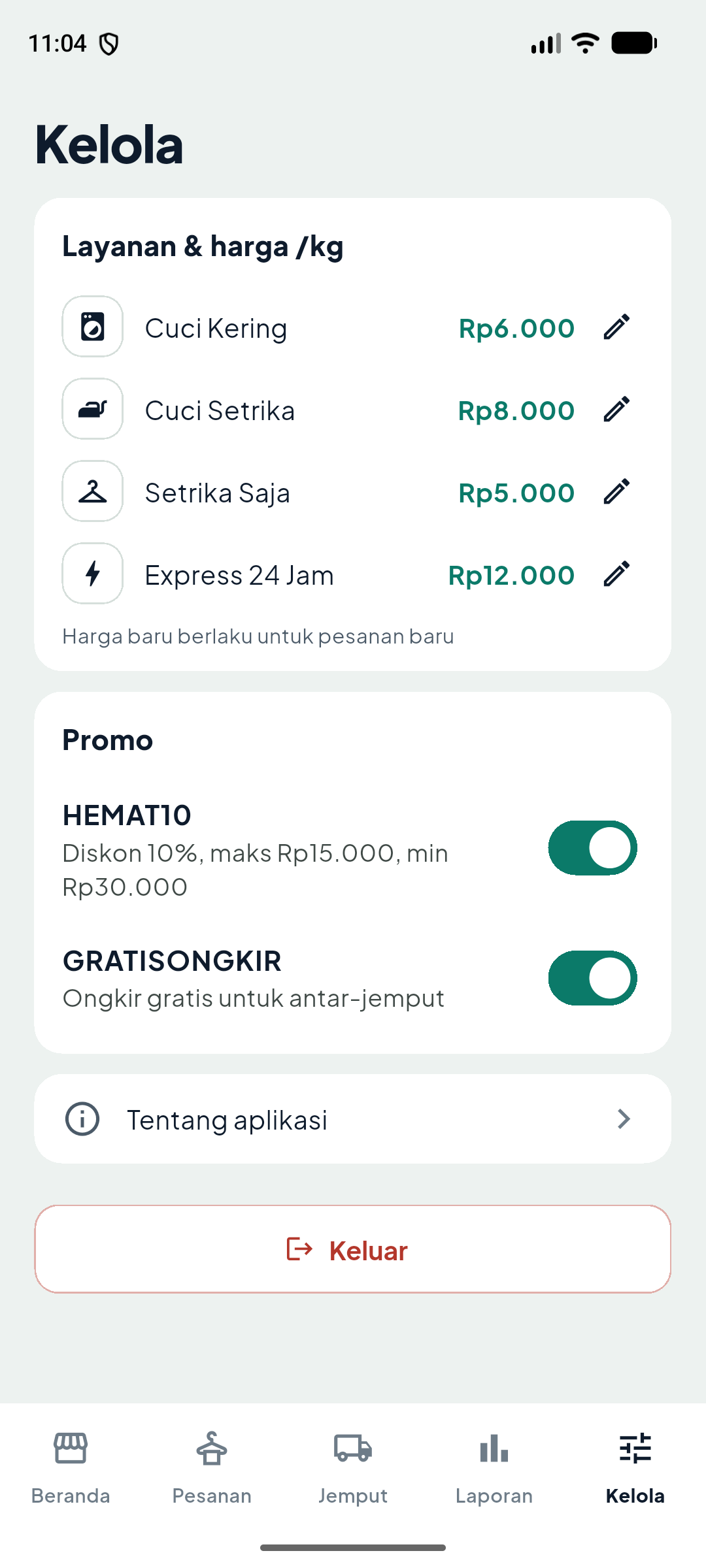
owner_manage_screenPraktik di playground
- Login pemilik: 0811 0000 1111
- Buka tab Kelola
- Scroll sampai Tentang aplikasi
Misi
Dari Beranda pemilik, buka Kelola lalu Tentang aplikasi.
Lihat kunci jawabankunci/m04_scroll.yamlLulus di emulator
kunci/m04_scroll.yaml
- launchApp:
    clearState: true
- extendedWaitUntil:
    visible:
      id: login_screen
    timeout: 15000
- runFlow:
    file: subflows/relogin.yaml
    env:
      PHONE: "081100001111"
      PASSWORD: pemilik123
      HOME_ID: owner_home_screen
- tapOn:
    id: owner_nav_manage
- scrollUntilVisible:
    element:
      id: owner_about_button
    direction: DOWN
- tapOn:
    id: owner_about_button
- assertVisible:
    id: about_sheet
- assertVisible:
    id: app_credit_text
text: "Amin Hamzah"Elemen setengah tertutup bottom nav → tap meleset.